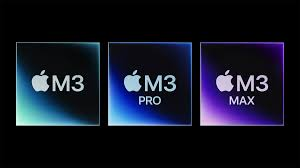
The Dawn of 3nm Architecture: Redefining Silicon Limits
The introduction of the Apple M3 chip marks a watershed moment in semiconductor history. By becoming the first personal computer processor to utilize the 3-nanometer (3nm) manufacturing process, Apple has fundamentally altered the competitive landscape, leaving legacy x86 giants like Intel and AMD scrambling to catch up. But to truly understand why this is a generational leap, we must look beyond the marketing terminology and examine the physics of modern chip fabrication.
What Does 3 Nanometer Actually Mean?
In semiconductor fabrication, the “nanometer” metric traditionally referred to the physical length of a transistor’s gate. Today, it serves as a commercial benchmark for transistor density. Manufactured by TSMC using Extreme Ultraviolet (EUV) lithography, the 3nm process allows Apple to pack a staggering 25 billion transistors into the base M3 chip. This microscopic proximity means electrons have a shorter distance to travel, drastically reducing electrical resistance and energy loss.
The Physics of Power Efficiency
Intel and AMD have historically relied on brute-forcing performance by increasing wattage—often pushing desktop CPUs past the 200-watt mark. Apple’s ARM-based instruction set, combined with the 3nm node, flips this paradigm. The M3 chip delivers the same multi-threaded CPU performance as a comparable 12-core PC laptop chip while consuming only one-fourth of the power. This thermal efficiency is the core reason why MacBooks can maintain peak performance without aggressively throttling or relying on massive cooling fans.
Dynamic Caching and GPU Innovation: The Death of Static Memory
While CPU advancements are impressive, the most disruptive technology inside the M3 family lies within its Graphics Processing Unit (GPU). Apple has introduced an entirely new rendering architecture designed to maximize every ounce of hardware capability, solving a decades-old inefficiency in traditional GPU design.
In-Depth Term Analysis: Dynamic Caching
Traditional GPUs from AMD and Nvidia rely on static memory allocation. Software dictates how much local memory a task might need, and the hardware reserves that block in its entirety—even if the task ends up using only a fraction of it. This leads to massive memory waste. Apple’s Dynamic Caching allocates local memory in hardware in real-time. Only the exact amount of memory needed is used for each task. This drastically increases the average utilization of the GPU, directly translating to massive performance gains for professional rendering apps and high-end gaming.
Hardware-Accelerated Ray Tracing and Mesh Shading
For the first time on Mac, the M3 chip brings hardware-accelerated ray tracing and mesh shading. By processing complex geometry and lighting calculations physically on the silicon rather than through software emulation, the M3 allows game developers and 3D artists to render physically accurate shadows and reflections at unprecedented frame rates.
Apple M3 vs. Intel Core and AMD Ryzen: The Ultimate Showdown
To quantify Apple’s dominance, we must compare the M3 architecture directly against the current flagship offerings from Intel and AMD. The differences in architectural philosophy become immediately apparent when looking at the data.
| Feature/Metric | Apple M3 Family | Intel Core (14th Gen) | AMD Ryzen (7000 Series) |
|---|---|---|---|
| Process Node | 3nm (TSMC) | 10nm (Intel 7) / Intel 4 | 5nm / 4nm (TSMC) |
| Architecture | ARM (RISC) | x86 (CISC) | x86 (CISC) |
| Memory Design | Unified Memory Architecture | Discrete RAM/VRAM | Discrete RAM/VRAM |
| Peak Power Draw (Laptop) | Approx. 20W – 40W | Approx. 45W – 115W+ | Approx. 45W – 100W+ |
| Hardware Ray Tracing | Yes (Dynamic Caching) | Yes (Standard Allocation) | Yes (Standard Allocation) |
Expert Advice: Maximizing Your M3 Mac’s Potential
Purchasing an M3-powered machine is a significant investment. Because Apple’s architecture is fundamentally different from traditional PCs, optimizing your workflow requires specific strategies. Here are pro tips and a technical checklist for transitioning to an M3 environment.
Technical Checklist for M3 Migration
- Analyze Unified Memory Requirements: Unlike traditional PCs, Apple’s Unified Memory is shared between the CPU and GPU. If your workflow involves heavy 3D rendering or massive video timelines, do not skimp on memory. 16GB is the new baseline for professionals.
- Audit Software Architecture: Ensure your critical applications are running natively on Apple Silicon rather than through the Rosetta 2 translation layer. Native apps run up to 40% faster and consume significantly less battery.
- Leverage the Media Engine: If you are a video editor, utilize ProRes and HEVC codecs. The M3 features dedicated hardware decoders that process these specific formats with zero strain on the main CPU cores.
- Monitor Thermal Thresholds: If you opt for the fanless MacBook Air M3, be aware that sustained multi-hour rendering will eventually induce thermal throttling. For sustained heavy workloads, the actively cooled MacBook Pro is strictly recommended.
Frequently Asked Questions (FAQ)
- Why does the 3nm process matter to the average user?
- For everyday users, the 3nm process translates directly to unprecedented battery life and a silent computing experience. Your laptop will run faster, stay cooler to the touch, and last significantly longer on a single charge compared to older generations.
- Can the M3 chip handle high-end gaming?
- Yes. With the introduction of Dynamic Caching and hardware-accelerated ray tracing, the M3 chip is highly capable of running AAA games. The main hurdle is no longer hardware performance, but rather developers porting their games to macOS.
- Is Unified Memory better than traditional RAM?
- In most scenarios, yes. Unified Memory allows the CPU and GPU to access the same pool of data without copying it back and forth between separate memory banks. This drastically reduces latency and increases overall system speed.
- Why are Intel and AMD struggling to match Apple’s efficiency?
- Intel and AMD rely on the x86 instruction set, which is inherently more complex and power-hungry than Apple’s ARM-based design. Additionally, Apple designs the entire widget—hardware and software—allowing for deep optimizations that fragmented PC manufacturers simply cannot achieve.
Editorial notice: Independent editorial content. Brand, platform, and company names are used for context only; this site is not affiliated with, endorsed by, or authorized by Sony, Tencent, Apple, Samsung, Dell, or any other mentioned rights holder.