The Importance of Modern Dash Cam Technology
In the modern era of driving, a dash cam for car safety is no longer a luxury but an essential tool for every motorist. Whether you are navigating busy city streets or embarking on long highway journeys, having a reliable digital witness can protect you from fraudulent insurance claims, provide critical evidence during accidents, and offer peace of mind when your vehicle is parked.
Why Every Vehicle Needs a Dash Cam
The primary benefit of a dash cam is the ability to record objective, high-definition footage of events as they unfold on the road. Many users report that having a camera installed acts as a deterrent for aggressive drivers and provides a sense of security that is invaluable during disputes.
- Insurance Documentation: Quickly resolve ‘he-said-she-said’ scenarios with clear video evidence.
- Parking Security: Advanced parking modes can capture hit-and-run incidents while you are away from the vehicle.
- Driving Behavior Improvement: Reviewing your own footage can help identify areas to improve your defensive driving skills.

Understanding Multi-Channel Coverage
For those seeking maximum protection, a single-channel camera is often insufficient. Advanced users are increasingly opting for three-channel or four-channel systems that provide 360-degree or panoramic views of the vehicle’s surroundings.
Front, Rear, and Interior Recording
Three-channel systems are designed to cover the front windshield, the rear window, and the interior of the cabin. This is particularly useful for ride-share drivers or those who want to monitor passengers and potential break-ins.
| System Type | Coverage Area | Best For |
|---|---|---|
| Single Channel | Front Only | Basic liability protection |
| Dual Channel | Front & Rear | Standard commuters |
| Three/Four Channel | All-around/Interior | Ride-share & maximum security |

Installation and Ease of Use
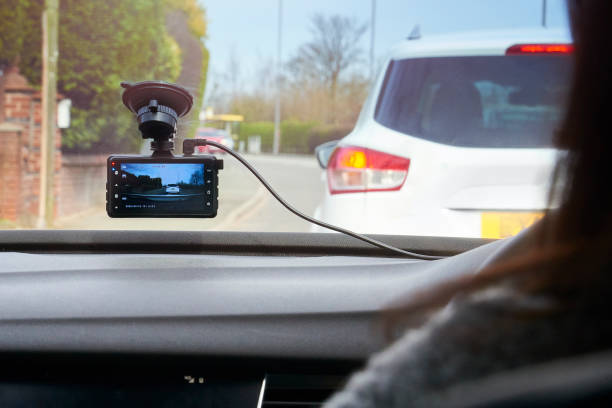
Many beginners fear that installing a dash cam is a complex, professional-only job. However, modern plug-and-play designs have made it easier than ever to equip your vehicle with safety technology. Most units come with adhesive mounts or suction cups, and cables can be tucked neatly behind interior trim panels.
Key Considerations for Beginners
When you first decide to install a dash cam, focus on the following operational steps to ensure a smooth setup:
- Cable Management: Use trim tools to hide power cords for a clean, professional aesthetic.
- Memory Card Selection: Always use high-endurance microSD cards designed for continuous loop recording to prevent data corruption.
- Hardwiring vs. Cigarette Lighter: While plug-and-play is easier, hardwiring into the fuse box is necessary to enable 24/7 parking mode.

Advanced Features and Future-Proofing
As we move into 2025, dash cams are evolving beyond simple video recorders. High-performance models now feature infrared night vision, GPS tracking for speed measurement, and app-based connectivity for instant access to footage.
The Value of Night Vision and GPS
Infrared capabilities allow your camera to capture clear footage even in complete darkness, which is vital for nighttime parking security. Meanwhile, GPS logging adds a layer of data that can verify your speed and location at the exact time of an incident, providing a robust defense in legal proceedings.
Frequently Asked Questions (FAQ)
- Q1: Is a hardwire kit really necessary for parking mode?
- Yes, for most models. A hardwire kit connects directly to your car’s fuse box, ensuring the camera receives a constant power supply even when the ignition is off, which is required for motion-activated parking recording.
- Q2: Will a dash cam drain my car battery?
- Most modern hardwire kits include “low-voltage cut-off” protection. This detects when your car battery reaches a certain voltage and cuts power to the camera, preventing it from draining the battery completely.
- Q3: Is it difficult for a beginner to install a dash cam?
- Not at all. Most dash cams are designed for DIY installation. If you are comfortable tucking cables under rubber seals and using a cigarette lighter adapter, you can have a system up and running in under an hour.
- Q4: Why does my camera stop recording after a few hours?
- This is usually due to the memory card reaching its capacity. Ensure your camera is set to “Loop Recording,” which automatically overwrites the oldest footage, and verify that you are using a high-endurance SD card formatted correctly for the device.