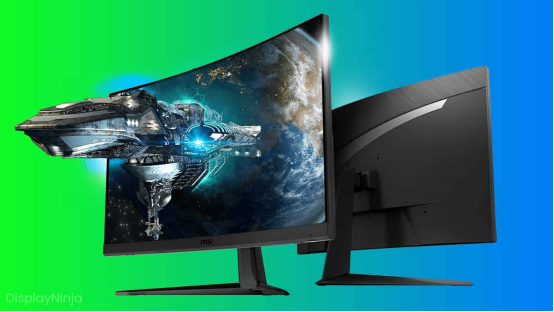
Choosing the right peripherals is fundamental to unlocking the full potential of your computer. Your monitor and keyboard are the primary interfaces through which you interact with your digital world, and making an informed decision can dramatically impact everything from gaming performance to daily productivity. This comprehensive guide will walk you through every critical detail, ensuring you select a monitor and keyboard that are perfectly tailored to your specific needs, whether you’re a competitive esports athlete, a creative professional, or someone looking to optimize their home office setup.
Choosing the Perfect Monitor for Your Needs
The monitor is your window to the digital realm. Its specifications directly influence visual clarity, color accuracy, and motion smoothness. Understanding the interplay between size, resolution, and panel technology is the first step toward making a wise investment.
Understanding Monitor Size and Ideal Viewing Distance
Monitor size, measured diagonally in inches, is often the first specification people consider. However, bigger isn’t always better. The ideal size is closely tied to your desk space and typical viewing distance. Sitting too close to a very large monitor can cause eye strain and require excessive head movement to see the entire screen.
- 24-inch Monitors: A popular choice for general use and competitive gaming. At a typical desk distance, this size offers a comfortable viewing experience without overwhelming your field of view. It’s an excellent match for 1080p (FHD) resolution.
- 27-inch Monitors: Often considered the “sweet spot” for a more immersive experience. This size is ideal for 1440p (QHD) resolution, providing a significant boost in detail and screen real estate over 24-inch models.
- 32-inch and Larger Monitors: These are best suited for 4K (UHD) resolution. They offer a cinematic experience for media consumption and gaming, and provide ample space for multitasking in creative and professional applications. Ensure you have a deep desk to maintain a comfortable viewing distance.
Decoding Resolution: FHD, QHD, and 4K
Resolution refers to the number of pixels on the screen, which determines the sharpness and clarity of the image. The key is to match the resolution to the screen size to achieve an optimal pixel density (Pixels Per Inch or PPI). A higher PPI results in a sharper, more detailed image.
- Full HD (FHD) – 1920×1080: The long-standing standard, FHD is still a great choice for budget-conscious buyers and esports gamers who prioritize high frame rates over maximum detail. It is best suited for monitors up to 24 inches.
- Quad HD (QHD) – 2560×1440: Offering a significant step up in clarity from FHD, QHD is the current sweet spot for mainstream gaming and productivity. It provides a crisp, detailed image on 27-inch monitors without demanding the extreme GPU power that 4K requires.
- Ultra HD (4K) – 3840×2160: With four times the pixels of FHD, 4K delivers stunningly sharp and detailed visuals. It’s the top choice for creative professionals working with high-resolution photos and videos, and for gamers with high-end graphics cards who want the most immersive experience on screens 28 inches or larger.
Matching Monitor Specs to Your Use Case
The perfect monitor is one that aligns with your primary activities. Different tasks benefit from different features, such as refresh rate, response time, and color accuracy.
| Use Case | Recommended Size | Recommended Resolution | Key Features |
|---|---|---|---|
| General Office/Productivity | 24-27 inches | FHD or QHD | Ergonomic stand, good brightness, flicker-free technology. |
| Competitive Gaming | 24-27 inches | FHD or QHD | High Refresh Rate (144Hz+), low Response Time (1ms), G-Sync/FreeSync. |
| Immersive Gaming/Media | 27-32+ inches | QHD or 4K | High contrast (VA panel), good color accuracy, HDR support. |
| Creative Professionals | 27+ inches | QHD or 4K | Excellent color accuracy (IPS panel), wide color gamut (sRGB, Adobe RGB), high resolution. |

The Ultimate Guide to Selecting a Gaming Keyboard
A high-quality keyboard provides the tactile feedback and responsiveness necessary for both high-stakes gaming and comfortable, efficient typing. The world of keyboards is dominated by the choice between mechanical and membrane designs, with a vast ecosystem of switch types and form factors to explore.
Mechanical vs. Membrane: The Core Decision
The fundamental difference between keyboard types lies in the technology beneath the keycaps.
- Membrane Keyboards: These use a rubber dome under each key. Pressing a key pushes the dome down to complete a circuit. They are generally quieter, lighter, and less expensive, but often feel “mushy” and lack the tactile precision and durability of their mechanical counterparts.
- Mechanical Keyboards: Each key has its own individual mechanical switch. These switches provide superior tactile and auditory feedback, faster actuation, and a much longer lifespan. They are the preferred choice for gamers, programmers, and serious typists due to their performance and reliability.
A Deep Dive into Mechanical Switch Types
The “feel” of a mechanical keyboard is determined by its switches. There are three primary types, each offering a distinct experience.
- Linear Switches (e.g., Cherry MX Red): These offer a smooth, consistent keystroke from top to bottom with no tactile bump or audible click. Their light and fast actuation makes them a favorite among gamers who need to make rapid, repeated key presses.
- Tactile Switches (e.g., Cherry MX Brown): These provide a noticeable “bump” in the middle of the key travel, confirming that the key has been actuated. They offer a satisfying middle ground, providing good feedback for typing without the loud noise of clicky switches, making them excellent all-rounders for both gaming and work.
- Clicky Switches (e.g., Cherry MX Blue): These provide both a tactile bump and a distinct, loud “click” sound upon actuation. Many typists love the definitive feedback they provide, but the noise can be disruptive in shared environments.
Keyboard Form Factors: From Full-Size to Compact
Keyboards come in various sizes, or “form factors,” which affect their footprint on your desk and their feature set.
- Full-Size (100%): The traditional layout that includes the full alphanumeric section, function row, navigation cluster, and a number pad. Ideal for users who frequently perform data entry.
- Tenkeyless (TKL / 87%): A popular compact design that removes the number pad. This frees up significant desk space for mouse movement, making it a favorite for gamers.
- Compact (e.g., 75%, 65%, 60%): These layouts further reduce the keyboard’s size by integrating the navigation keys into other layers or removing the function row entirely. They are perfect for minimalist setups and portability but may require a learning curve to access all functions.
Synergy: Matching Your Peripherals for the Best Setup
Creating a truly optimized workspace involves more than just picking good individual components; it’s about ensuring they work well together. A well-matched monitor and keyboard can enhance ergonomics, performance, and even the aesthetic appeal of your entire desk setup.
Ergonomics and Performance Pairing
Consider how your peripherals will be used in tandem. For a competitive gaming setup, a 24-inch high-refresh-rate monitor paired with a TKL keyboard provides a focused view and maximum space for wide, sweeping mouse movements. For a productivity-focused workstation, a large 4K monitor provides ample screen real estate, which pairs perfectly with a full-size mechanical keyboard with a number pad for efficient data entry. Adjustability is key, so look for a monitor with a versatile stand and a keyboard with adjustable feet to achieve the most comfortable posture.
Creating a Cohesive Aesthetic
While performance is paramount, aesthetics play a significant role in how you feel about your space. Many brands offer peripherals with synchronized RGB lighting, allowing you to create a unified color scheme across your keyboard, mouse, and even your monitor. Matching the color and design language—such as a minimalist white keyboard with a sleek, thin-bezel silver monitor—can transform a cluttered desk into a clean and inspiring workspace.
Frequently Asked Questions (FAQ)
- What is the best monitor resolution for gaming in 2024?
- 1440p (QHD) is widely considered the sweet spot for gaming. It offers a substantial visual upgrade over 1080p without requiring the top-tier, expensive graphics card needed to run demanding games smoothly at 4K. It perfectly balances visual fidelity and achievable high frame rates.
- Are mechanical keyboards really better for typing?
- For most people, yes. Mechanical keyboards provide superior tactile feedback, which can lead to faster and more accurate typing. The variety of switch types (tactile, clicky, linear) allows you to choose a feel that you find most comfortable and satisfying, reducing finger fatigue during long typing sessions.
- What is refresh rate (Hz) and why does it matter?
- Refresh rate, measured in Hertz (Hz), is the number of times per second a monitor updates the image on the screen. A standard monitor is 60Hz, while gaming monitors can be 144Hz, 240Hz, or even higher. A higher refresh rate results in much smoother motion, which is a significant advantage in fast-paced games as it reduces motion blur and improves responsiveness.
- Is a TKL (Tenkeyless) keyboard better for gaming?
- For many gamers, a TKL keyboard is superior because it removes the number pad, creating more usable space on the desk for the mouse. This allows for a more natural arm position and enables large, low-sensitivity mouse movements common in FPS games without the keyboard getting in the way.
- What is the difference between IPS, VA, and TN monitor panels?
- These are the three main types of LCD panel technology. IPS (In-Plane Switching) panels have the best color accuracy and viewing angles, making them ideal for creative work. VA (Vertical Alignment) panels have the best contrast ratios, producing deep blacks, which is great for watching movies. TN (Twisted Nematic) panels are the fastest, with the lowest response times, but have weaker colors and viewing angles; they are often chosen by competitive gamers who prioritize speed above all else.