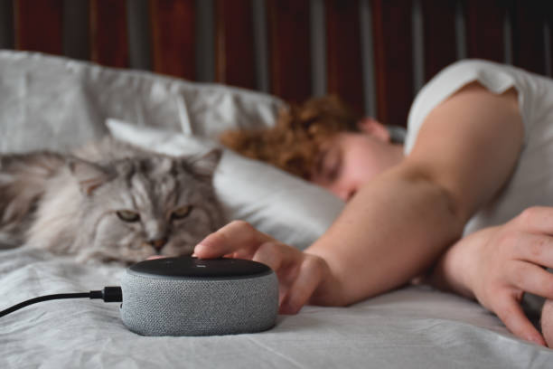
How to Choose the Right Smart Speaker for Your Home Ecosystem
The journey to building a truly automated smart home begins with a foundational decision: selecting the right smart speaker. This device will act as your primary interface for controlling lights, thermostats, media, and security systems. The market is saturated with options ranging from budget-friendly entry-level pucks to high-fidelity acoustic marvels. Making the correct choice requires a deep understanding of your personal technological ecosystem, your acoustic preferences, and your long-term smart home expansion plans.
Assessing Your Audio and Smart Home Priorities
Before diving into brand specifics, it is crucial to evaluate what you actually need the speaker to do. If your primary goal is orchestrating a complex web of smart home devices, your focus should be on protocol compatibility, such as Zigbee, Thread, or the new Matter standard. Conversely, if you are an audiophile looking to stream lossless audio, hardware specifications like woofer size, tweeter arrangement, and spatial audio capabilities take precedence. Understanding this dichotomy prevents you from overspending on acoustic hardware when you only need a voice command node, or conversely, suffering through tinny music on a budget device.
- Ecosystem Compatibility: Ensure the speaker aligns with the smartphone operating system and smart home protocol you already use. Mixing Apple, Amazon, and Google devices often leads to fragmented control and frustrating user experiences.
- Acoustic Performance: Look for devices with computational audio capabilities, which use internal microphones to dynamically adjust the EQ based on the acoustics of your specific room.
- Privacy Features: Physical microphone mute switches and transparent data processing policies are essential for maintaining privacy in your most intimate living spaces.
By carefully weighing these factors against your budget, you can narrow down the vast market to a few prime candidates. It is highly recommended to start with a single ecosystem and build outward, ensuring that every new bulb, plug, or display you purchase will communicate flawlessly with your central smart speaker hub.

The Smart Speaker Showdown: Google Nest vs. Amazon Echo vs. Apple HomePod
The modern smart speaker landscape is dominated by three technological titans: Google, Amazon, and Apple. Each company has engineered its hardware and voice assistant to excel in different areas, creating distinct advantages and trade-offs. Understanding the nuanced differences between Google Assistant, Amazon Alexa, and Apple Siri is critical to achieving a seamless smart home experience.
Amazon Echo (Alexa): The Universal Integrator
Amazon’s Echo lineup, powered by Alexa, is widely regarded as the most versatile option for smart home integration. Because Amazon was an early pioneer in the space, Alexa boasts the largest library of third-party “Skills” and supports the widest array of smart home devices. From obscure budget smart plugs to high-end security systems, if a device has smart capabilities, it almost certainly works with Alexa. The Echo devices often include built-in Zigbee hubs and eero Wi-Fi extenders, making them incredibly powerful foundational pieces for complex home automation setups.
Google Nest (Google Assistant): The Search and Knowledge Powerhouse
Google Nest speakers leverage the unparalleled power of Google’s search graph. If you frequently ask your smart speaker complex, conversational questions, Google Assistant is vastly superior in understanding context and providing accurate, nuanced answers. Furthermore, its integration with Google Workspace (Calendar, Maps, Keep) makes it an exceptional personal assistant for managing your daily schedule. While its third-party device support is slightly smaller than Amazon’s, it covers all major brands and excels in casting media via Chromecast.
Apple HomePod (Siri): The Audiophile’s Choice
Apple’s HomePod and HomePod mini are precision-engineered for users deeply entrenched in the Apple ecosystem. Siri may lack the conversational depth of Google Assistant or the vast skill library of Alexa, but the HomePod compensates with class-leading audio quality and stringent privacy standards. Apple processes most voice requests locally on the device rather than in the cloud. Additionally, HomePods serve as essential Apple Home hubs, supporting Thread and Matter protocols to ensure lightning-fast, secure smart home response times.
| Feature | Amazon Echo (Alexa) | Google Nest (Assistant) | Apple HomePod (Siri) |
|---|---|---|---|
| Best For | Broad smart home integration and shopping | Answering complex queries and Google integration | High-fidelity audio and Apple ecosystem users |
| Third-Party Support | Industry-leading compatibility | Excellent, covers all major brands | Limited, requires HomeKit/Matter compatibility |
| Privacy Focus | Cloud-heavy, manual privacy controls | Cloud-heavy, robust account controls | Local processing, industry-leading privacy |
Ultimately, the “best” smart speaker is highly subjective. Your choice should be dictated by the smartphone in your pocket, the services you subscribe to (like Apple Music vs. Spotify), and whether you prioritize audio fidelity over conversational artificial intelligence.

Selecting the Perfect Children’s Smart Speaker for Growth and Safety
Introducing smart technology to children requires a delicate balance between educational enrichment and strict safety protocols. Children’s smart speakers are specially designed hardware and software variations that filter out explicit content, prevent unauthorized purchases, and offer engaging, age-appropriate interactions. Choosing the right device can provide your child with a powerful tool for learning, independence, and entertainment.
Essential Parental Controls and Privacy Features
The primary concern for any parent is safety. The best children’s smart speakers, such as the Echo Dot Kids Edition, come equipped with robust parental dashboards. These dashboards allow parents to set rigid time limits, ensuring the device cannot be used during bedtime or homework hours. Furthermore, they automatically filter explicit lyrics from music streaming services and disable voice purchasing to prevent accidental credit card charges. Privacy is also paramount; parents should have the ability to easily review and delete voice recordings, and the device must comply with strict children’s online privacy protection laws (such as COPPA in the United States).
Educational Content and Interactive Learning
Beyond safety, a great children’s smart speaker acts as an interactive tutor and storyteller. These devices are loaded with premium subscriptions (like Amazon Kids+) that offer thousands of ad-free audiobooks, interactive trivia games, and educational podcasts.
- Homework Help: Children can ask the speaker to spell difficult words, solve basic math equations, or explain historical events, fostering independent learning.
- Bedtime Routines: Parents can program custom routines where the speaker dims the smart lights, plays a soothing bedtime story, and transitions into white noise, significantly easing the nightly sleep transition.
- Voice Recognition: Advanced children’s speakers can recognize the specific acoustic profile of a child’s voice, automatically switching to a kid-friendly profile even if they are using a shared speaker in the living room.
By carefully curating the content and setting firm boundaries through the companion app, a children’s smart speaker transforms from a simple toy into a valuable developmental companion that grows alongside your child.

Upgrading Your Smart Speaker Experience with Bluetooth 5.3
While Wi-Fi handles the heavy lifting for voice commands and cloud processing, Bluetooth remains a critical component for direct audio streaming and peripheral connectivity. The advent of Bluetooth 5.3 represents a massive leap forward in wireless audio technology. Upgrading your smart speaker ecosystem to support Bluetooth 5.3 unlocks lower latency, superior energy efficiency, and revolutionary audio sharing capabilities that dramatically enhance your daily listening experience.
The Technical Advantages of Bluetooth 5.3
Bluetooth 5.3 introduces several core enhancements that directly impact smart speaker performance. The most significant is the implementation of LE (Low Energy) Audio and the LC3 codec. Unlike the older SBC codec, LC3 delivers much higher audio quality at significantly lower bitrates. This means your smart speaker can receive high-fidelity audio streams from your smartphone without suffering from dropouts or consuming excessive battery life. Additionally, Bluetooth 5.3 improves Connection Subrating, allowing the speaker to instantly switch from a low-power standby state to a high-bandwidth active state the moment you press play, eliminating frustrating audio delays.
Step-by-Step Guide to Upgrading Your Audio Setup
Taking advantage of Bluetooth 5.3 requires both your transmitting device (smartphone or tablet) and your receiving device (smart speaker) to support the standard. If you are upgrading your hardware, here is how to maximize the new protocol.
- Verify Hardware Compatibility: Ensure your new smart speaker explicitly lists Bluetooth 5.3 support in its technical specifications. Older models cannot be upgraded via firmware to support the physical hardware requirements of 5.3.
- Enable Multipoint Connectivity: Bluetooth 5.3 excels at multipoint connections. Dive into your smart speaker’s companion app and pair both your personal smartphone and your work laptop simultaneously. The speaker will intelligently auto-switch the audio source based on which device is actively playing media or receiving a call.
- Utilize Auracast Broadcast Audio: If supported by your ecosystem, enable Auracast. This revolutionary feature allows a single device to broadcast audio to multiple Bluetooth 5.3 smart speakers simultaneously, creating an instant, synchronized multi-room audio setup without relying on complex Wi-Fi grouping.
By understanding and leveraging the deep technical improvements of Bluetooth 5.3, you can eliminate audio lag, improve sound fidelity, and create a much more resilient wireless audio network within your home.

Mastering Smart Speaker Alarm Reminders for Personal Time Management
One of the most underutilized features of a smart speaker is its potential to act as a highly sophisticated personal time management system. Moving far beyond the traditional, jarring morning wake-up call, modern smart speakers can be programmed with complex, context-aware routines that reduce cognitive load, enforce productivity techniques, and keep your entire household synchronized.
Moving Beyond Basic Alarms: Routines and Scheduling
The true power of smart speaker time management lies in “Routines” (Amazon/Google) or “Automations” (Apple). Instead of simply ringing at 7:00 AM, a smart speaker can execute a cascading series of actions. For example, a “Good Morning” routine can gently fade up the bedroom smart lights over 15 minutes, read the daily weather forecast, summarize your calendar appointments, and begin playing a specific morning news podcast. This seamless integration of information delivery and environmental control creates a structured, stress-free start to the day.
Customizing Alerts for Productivity and Focus
Throughout the workday, smart speakers can be deployed to enforce time management frameworks such as the Pomodoro Technique. By using simple voice commands, you can instruct your speaker to set a 25-minute focus timer, followed by a 5-minute break alarm. Furthermore, location-based and person-specific reminders add a layer of contextual intelligence. You can ask your speaker to remind you to take out the trash specifically when you walk through the front door (triggered by smartphone geolocation), or set a reminder that will only announce itself when a specific family member’s voice is recognized.
- Recurring Task Management: Automate your household chores by setting recurring weekly reminders for tasks like watering plants, taking medication, or paying bills. The auditory prompt is often much harder to ignore than a silent push notification on a phone.
- Calendar Synchronization: Link your Google, Outlook, or Apple calendar directly to your speaker. The device will proactively announce upcoming meetings 10 minutes before they begin, ensuring you are never late for a virtual conference call.
By delegating the mental burden of tracking time and tasks to your smart speaker, you free up valuable cognitive resources, allowing you to focus deeply on your work and personal life with the assurance that your digital assistant will keep you on schedule.

Connecting Your Smart Speaker to Your Smart TV for Voice Control
The convergence of home theater systems and smart home technology has made the physical remote control increasingly obsolete. By linking your smart speaker directly to your smart television, you unlock the ability to power the TV on or off, adjust volume, launch specific streaming applications, and even search for content using nothing but natural voice commands. This integration represents a major leap in living room convenience and accessibility.
The Mechanics of Voice-Activated Television Control
The communication between your smart speaker and your TV relies heavily on cloud-to-cloud integration and local network protocols like HDMI-CEC (Consumer Electronics Control). When you issue a command to your speaker, the voice assistant processes the request in the cloud, sends the command to the TV manufacturer’s server (e.g., Samsung SmartThings or LG ThinQ), which then pushes the command down to your television over your local Wi-Fi network. For more direct control, pairing a brand-aligned ecosystem—such as an Amazon Echo with an Amazon Fire TV Stick, or a Google Nest with a Chromecast—allows for deeper, system-level control, including scrubbing through video timelines and searching for specific actors.
Step-by-Step Pairing Instructions
Establishing this connection requires a few precise steps to ensure all devices are communicating on the same network and through the correct authorization channels.
- Network Alignment: Ensure both your smart speaker and your smart TV are connected to the exact same Wi-Fi network band (preferably 5GHz for faster response times).
- Link Manufacturer Accounts: Open your smart speaker’s companion app (Alexa, Google Home, or Apple Home). Navigate to the device addition section and search for your TV’s brand. You will be prompted to log into your TV manufacturer’s account (e.g., your Sony or Vizio account) to authorize the link.
- Enable HDMI-CEC: To allow the smart speaker to physically power the TV on and off, you must dive into your TV’s hardware settings and enable HDMI-CEC. This feature is often hidden under proprietary names like Anynet+ (Samsung), Simplink (LG), or Bravia Sync (Sony).
Once properly configured, you can effortlessly say commands like “Dim the living room lights and play Stranger Things on Netflix,” prompting the smart speaker to orchestrate the entire cinematic experience instantly. This hands-free control is particularly invaluable when cooking, cleaning, or when the remote is simply out of reach.

Frequently Asked Questions (FAQ)
Even with a comprehensive understanding of smart speaker ecosystems, users frequently encounter specific edge cases and technical hurdles. Below is an exhaustive breakdown of the most common inquiries regarding smart speaker optimization, privacy, and troubleshooting, providing expert-level solutions to ensure your smart home runs flawlessly.
- How do I stop my smart speaker from falsely triggering and recording my conversations?
- False triggers occur when the device misinterprets everyday conversation as its wake word. To mitigate this, navigate to your device’s privacy settings in the companion app and adjust the “Wake Word Sensitivity” to a lower setting. Additionally, you can change the wake word entirely (e.g., changing “Alexa” to “Computer”) if your household naturally uses words that sound similar to the default trigger. For absolute privacy, utilize the physical microphone mute button on the device when having sensitive conversations.
- Can my smart speaker still function if my home Wi-Fi network goes down?
- Traditionally, smart speakers become highly limited without an active internet connection because voice processing occurs in the cloud. However, newer models with advanced built-in neural processors (like newer Amazon Echos and Apple HomePods) support local voice processing. This allows them to execute basic commands—such as turning on local Zigbee/Matter smart lights, setting timers, or adjusting the volume—even during an internet outage. Streaming music and internet queries will still be disabled until the connection is restored.
- Why is there an audio delay when I group multiple smart speakers together?
- Multi-room audio relies on precise synchronization over your Wi-Fi network. If you experience an echo or delay, it is usually caused by network congestion or varying distances to the router. To fix this, open your smart speaker app and locate the “Audio Sync” or “Group Delay” setting. The app will play a rhythmic tone across the speakers, allowing you to manually adjust a slider to delay the faster speaker by a few milliseconds until the audio perfectly aligns. Upgrading to a mesh Wi-Fi system also drastically reduces these latency issues.
- Is it safe to put a smart speaker in the bathroom for listening to music?
- Most standard smart speakers are not IP-rated for water or high humidity resistance. Placing a standard Google Nest or Amazon Echo in a steamy bathroom can lead to internal corrosion and eventual hardware failure. If you want voice control in the bathroom, you must purchase a specifically designed, waterproof smart speaker, or use a portable Bluetooth waterproof speaker that connects wirelessly to a smart speaker safely located in an adjacent hallway.
- How do I prevent guests from controlling my smart home devices through the speaker?
- To secure your smart home from unauthorized commands, enable “Voice Match” (Google) or “Voice ID” (Amazon). This trains the speaker to only recognize the specific acoustic signatures of authorized household members. Once enabled, you can restrict sensitive actions—such as unlocking smart doors, disarming security systems, or making purchases—so they only execute when a recognized voice issues the command. Guests will still be able to ask basic questions or play music, but your core infrastructure will remain secure.
Written By

More From Author
Hardware Briefing Index
A quick orientation to dash cam, consumer electronics, business tech, automotive technology, and computer hardware…

The Ultimate Guide to Troubleshooting and Optimizing Dash Cam Video Playback on Your Computer
Dash cam footage is invaluable for insurance claims, incident reporting, and personal security, yet encountering…
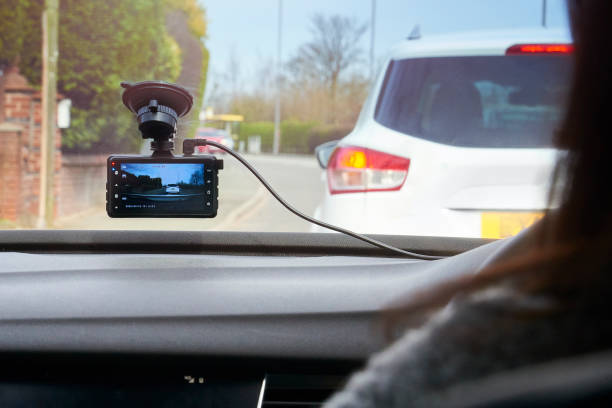
Ultimate Guide to Choosing and Using a Car Dash Cam
A comprehensive guide on selecting, installing, and utilizing modern dash cams for full-vehicle coverage, accident…