The Apple Ecosystem Landscape in 2025
Entering 2025, the Apple product lineup has reached an unprecedented level of interconnectivity, largely driven by the widespread rollout of Apple Intelligence and unified silicon architectures. The days of buying an iPhone and an iPad as isolated devices are over. Today, these devices act as modular extensions of a single computing experience. Understanding the underlying principles of this ecosystem is crucial before making a purchasing decision.
The core philosophy behind Apple’s 2025 strategy is seamless transition. Features like Universal Control, Handoff, and iCloud+ synchronization mean that a document started on an iPhone can be instantly annotated on an iPad with an Apple Pencil. Furthermore, the standardization of USB-C across both product lines has eliminated cable clutter, allowing users to share peripherals, external drives, and power banks effortlessly.
The Role of Apple Intelligence
The biggest shift in 2025 is hardware readiness for on-device AI. Apple Intelligence requires significant Neural Engine power and RAM. Consequently, the baseline for a future-proof combination now rests on devices equipped with at least the A17 Pro or A18 chips for iPhones, and M-series chips for iPads. Choosing devices below this threshold may result in missing out on generative writing tools, advanced Siri capabilities, and automated image creation.

Budget-Friendly Combinations for Everyday Users
Not everyone requires cinematic video rendering or complex 3D modeling capabilities. For students, casual browsers, and everyday users, Apple offers highly capable devices that provide the full ecosystem experience without the premium price tag. The key to building a budget-friendly combination is prioritizing essential features like battery life, screen size, and basic software longevity.
By strategically pairing entry-level or previous-generation hardware, you can achieve a setup that handles 95% of daily tasks—such as media consumption, web browsing, email, and light gaming—flawlessly.
The Starter Pack: iPhone 15 and iPad 10th Generation
This combination represents the ultimate value proposition in 2025. The iPhone 15 features the Dynamic Island, a 48MP main camera, and USB-C, bridging the gap to modern Apple standards. Paired with the redesigned iPad 10th Generation, which also features USB-C and landscape stereo speakers, users get a cohesive, colorful, and highly functional setup. While this combo may not support the heaviest Apple Intelligence features natively, it remains incredibly robust for standard digital workflows.

The Productivity Powerhouse: Professional Combinations
For creative professionals, videographers, and power users, hardware bottlenecks translate directly to lost time and revenue. The professional tier of Apple devices is engineered to handle sustained workloads, massive file transfers, and color-accurate visual rendering. When budget is less of a constraint and performance is the primary metric, the “Pro” moniker truly earns its keep.
These combinations leverage the fastest data transfer speeds (via Thunderbolt/USB 4), the brightest OLED displays, and the most advanced thermal management systems Apple has to offer.
The Pro Workflow: iPhone 16 Pro and iPad Pro M4
This is the apex of mobile computing in 2025. The iPhone 16 Pro, driven by the A18 Pro chip, allows for capturing 4K ProRes video directly to an external SSD. That same SSD can be immediately plugged into the iPad Pro M4. The iPad Pro’s tandem OLED display provides reference-grade color accuracy for grading that footage in Final Cut Pro for iPad. This combination effectively replaces a traditional laptop for many traveling creators, offering unparalleled portability and power.
Feature Comparison: 2025 iPhone and iPad Tiers
To simplify your decision-making process, the following table breaks down the core differences between the entry-level, mid-range, and professional tiers of Apple’s 2025 mobile lineup.
| Ecosystem Tier | Ideal User Profile | Recommended iPhone | Recommended iPad | Core Advantage |
|---|---|---|---|---|
| Entry-Level / Budget | Students, Casual Users | iPhone 15 | iPad (10th Gen) | Maximum value, USB-C standardization, vibrant colors. |
| Mid-Range / Balanced | Office Workers, Light Creatives | iPhone 16 | iPad Air (M2) | Apple Intelligence support, Apple Pencil Pro compatibility. |
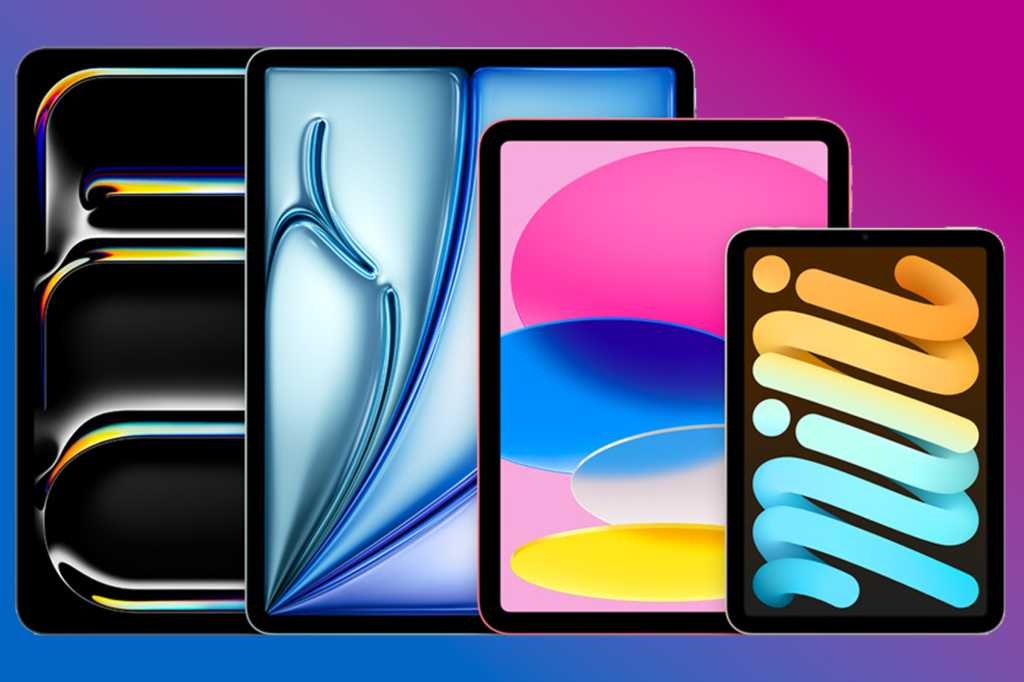
| Professional / Power | Videographers, Designers, Execs | iPhone 16 Pro Max | iPad Pro (M4) | Tandem OLED, Thunderbolt speeds, ProRes video workflow. |
Expert Advice and Future-Proofing Pro Tips
Purchasing Apple hardware is an investment. To ensure your chosen combination serves you well into the late 2020s, consider these advanced strategic tips before checking out.
- Prioritize Unified Storage: Always opt for at least 256GB on your primary device. The operating system and Apple Intelligence models take up significant space, and 128GB is no longer sufficient for a seamless long-term experience.
- Accessory Synergy: If you buy an iPad Air M2 or iPad Pro M4, ensure you purchase the Apple Pencil Pro. Older generation pencils will not pair with these newer models, leading to frustrating return processes.
- Leverage iCloud+ Effectively: Instead of maxing out internal storage on both devices, buy moderate internal storage and invest in a 2TB iCloud+ plan. This ensures your files are instantly accessible across both your iPhone and iPad without manual transfers.
- Check Refurbished Options: Apple’s Certified Refurbished store often stocks previous-year Pro models (like the iPhone 15 Pro) at prices comparable to current-year base models, giving you premium features for less.
Frequently Asked Questions (FAQ)
- Do I really need both an iPhone and an iPad?
- While not strictly necessary, owning both creates a synergistic workflow. The iPhone acts as your constant communication and capture device, while the iPad serves as your expansive canvas for reading, editing, and multitasking, saving your phone’s battery and offering a better ergonomic experience for long-form tasks.
- Will an older iPad work with a new iPhone 16?
- Yes. Apple’s ecosystem is highly backward-compatible. Services like AirDrop, iCloud, and iMessage will work seamlessly between a brand-new iPhone 16 and an older iPad, provided the iPad can run a relatively recent version of iPadOS.
- Is the iPad Air M2 enough for video editing, or do I need the Pro?
- The iPad Air M2 is more than capable of editing 4K video streams in LumaFusion or Final Cut Pro. The primary reasons to upgrade to the iPad Pro M4 are the Tandem OLED screen for perfect HDR color grading, FaceID, and Thunderbolt data transfer speeds for massive external drives.
- Which combination is best for mobile gaming?
- For the ultimate gaming experience, pair the iPhone 16 Pro (which features hardware-accelerated ray tracing) with the iPad Air M2 or iPad Pro. The M-series chips in the iPads can run AAA console ports natively, and you can easily pair a PlayStation or Xbox controller via Bluetooth to both devices.